
Index work has almost always been a core task for database administrators. If indexes aren’t performing well, then your queries probably aren’t performing well. And if your queries aren’t performing well, you aren’t performing well, because users will be complaining.
There isn’t one set way to manage indexes. Maybe you use Ola Hallengren scripts. Maybe it’s something you put together yourself. Either way, there might be a big shift coming for SQL Server database administrators and how index management is handled.
Last month, Microsoft announced Automatic Index Compaction, which is in preview for Azure SQL Database, Azure SQL Managed Instance, and SQL Database in Fabric. Instead of utilizing something like Ola Hallengren scripts or your own homegrown setup to monitor and rebuild indexes, the database engine will continuously run in the background and handle indexes for you, hence the “automatic” in the name.
What’s nice is that even though it’s always running automatically, it’s not trying to handle every part of every index at once; it only deals with recently modified pages. Index processes may be running more often, but those processes should be less noticeable overall.
Enabling Automatic Index Compaction
If you’re running a version where Automatic Index Compaction is available, you can run the following to enable it:
ALTER DATABASE MyDatabaseSET AUTOMATIC_INDEX_COMPACTION = ON;
Shortly after turning it on, Automatic Index Compaction will start running. Keep in mind that Automatic Index Compaction doesn’t touch statistics. If you’re like me and leaned on Ola Hallengren scripts, those were used to handle both indexes and statistics. If you do a 1-to-1 swap with Automatic Index Compaction and don’t adjust for statistics maintenance, you might have issues.
Issue to Watch For…Kind of
One part of Microsoft’s documentation that sticks out is this green box:
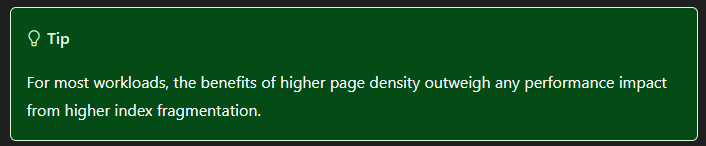
As noted in the article, Automatic Index Compaction leads to higher page density and higher index fragmentation. But these days, that’s probably not going to be an issue.
Many features have started out in Azure before making their way to other versions, so if Automatic Index Compaction doesn’t apply to your environment yet, watch for it in the future.
Thanks for reading!


Guess what te cause of that Higher-Fragmentation is??? Page Splits. And, page splits are blocking events and they are horrible on “skinny” indexes with lots of rows per page.
This is similar to “REORGANIZE”, which perpetuates and even makes recurring fragmentation worse. It will be especially “deadly” for fairly evenly distributed indexes or indexes with wide silos of data.
LikeLiked by 1 person
Great point. That could definitely lead to more headaches to troubleshoot, especially for people who treat it as an “easy button” to set it and forget it.
LikeLike