
I posted a few months ago about the latest SQL Server Management Studio updates, including a preview of their SQL Formatter. SSMS 22.9.0 was released a few weeks ago and called out some SQL Formatter improvements on the release announcement, so I thought it would be worth taking a fresh look to see how things are moving along.
Keeping Our Options Open
To access the options available to us in SSMS, we can navigate to Tools > Options, where we’ll see some new options to customize how we’d prefer SQL Formatter to work.
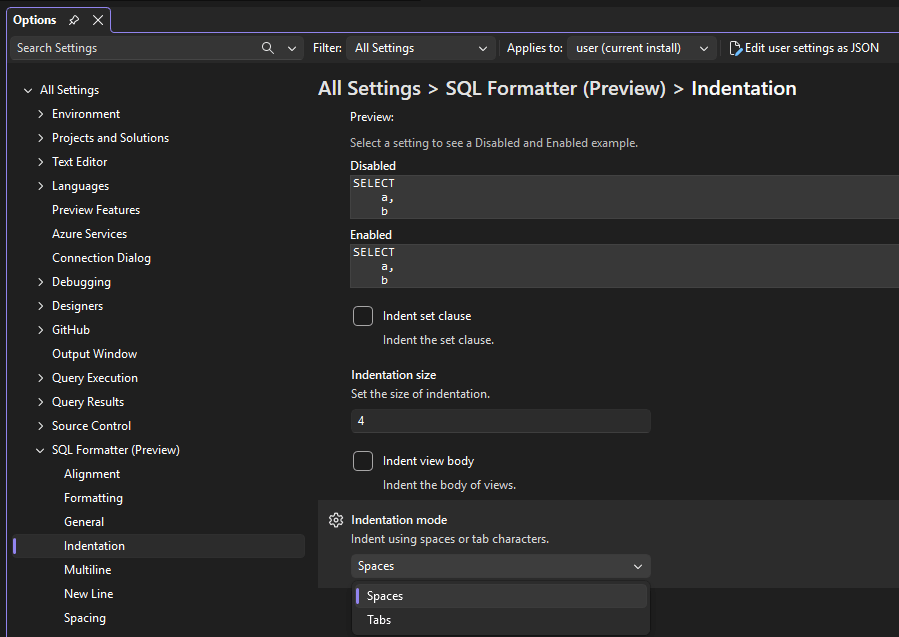
For example, one new change is the ability to choose to indent with tabs or spaces:
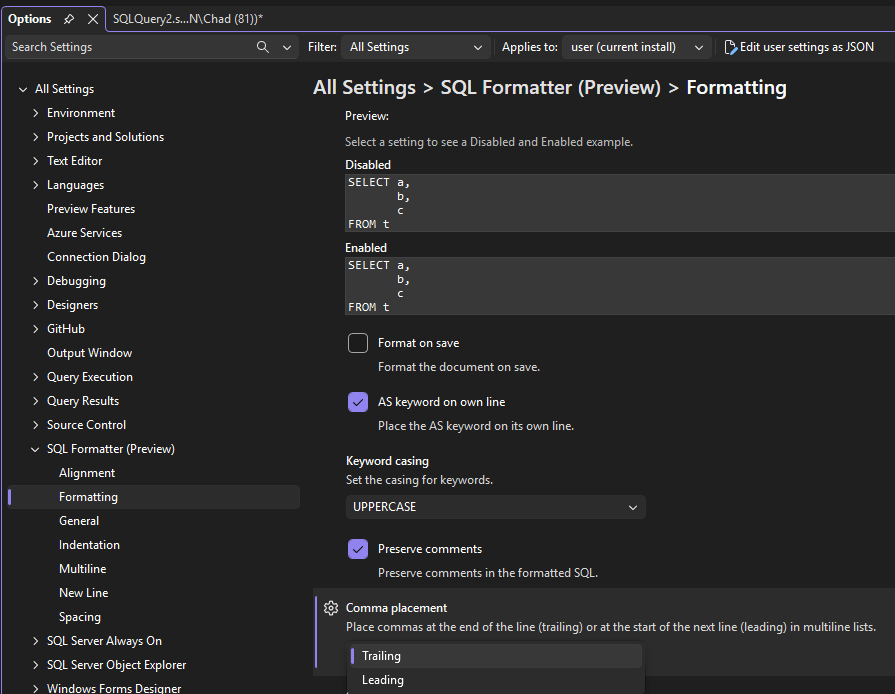
Or perhaps we want to adjust commas to be leading or trailing:
Another Format Attempt
The new options are great, but how does it actually work when we try to format? I wanted to take the query that blew up when I tried to format it a few months ago and see how it works today. That query was:
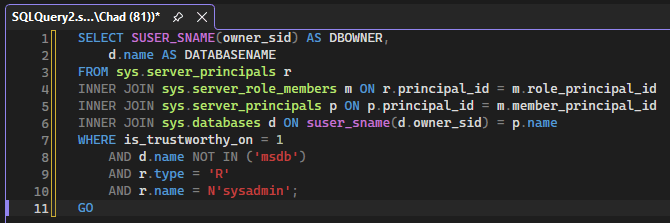
SELECT SUSER_SNAME(owner_sid) AS DBOWNER, d.name AS DATABASENAMEFROM sys.server_principals rINNER JOIN sys.server_role_members m ON r.principal_id = m.role_principal_idINNER JOIN sys.server_principals p ON p.principal_id = m.member_principal_idINNER JOIN sys.databases d ON suser_sname(d.owner_sid) = p.nameWHERE is_trustworthy_on = 1 AND d.name NOT IN ('msdb') AND r.type = 'R' AND r.name = N'sysadmin';GO
Pasting that query into a query window, we see the before:
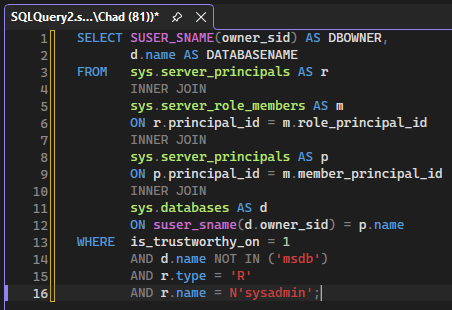
And after right-clicking the query and selecting Format SQL (Preview), we see the formatted version:
Latest Verdict
I didn’t get an error, and it works, but I’m not really sold on the formatting style. I wouldn’t have INNER JOIN on a line of its own. Maybe that’s something that can be changed along with other formatting options. I’m not sure yet but will have to do some more experimenting.
SQL Formatter remains in preview, so perhaps we’ll have some additional improvements to come in the future.
Thanks for reading!


One thought on “Revisiting SSMS SQL Formatter”